
Read manga offline, with downloads that never expire
Download whole runs of chapters in the background and read them anywhere. Your library, progress and bookmarks from every site stay together on your iPhone.
 Coming soon to the App Store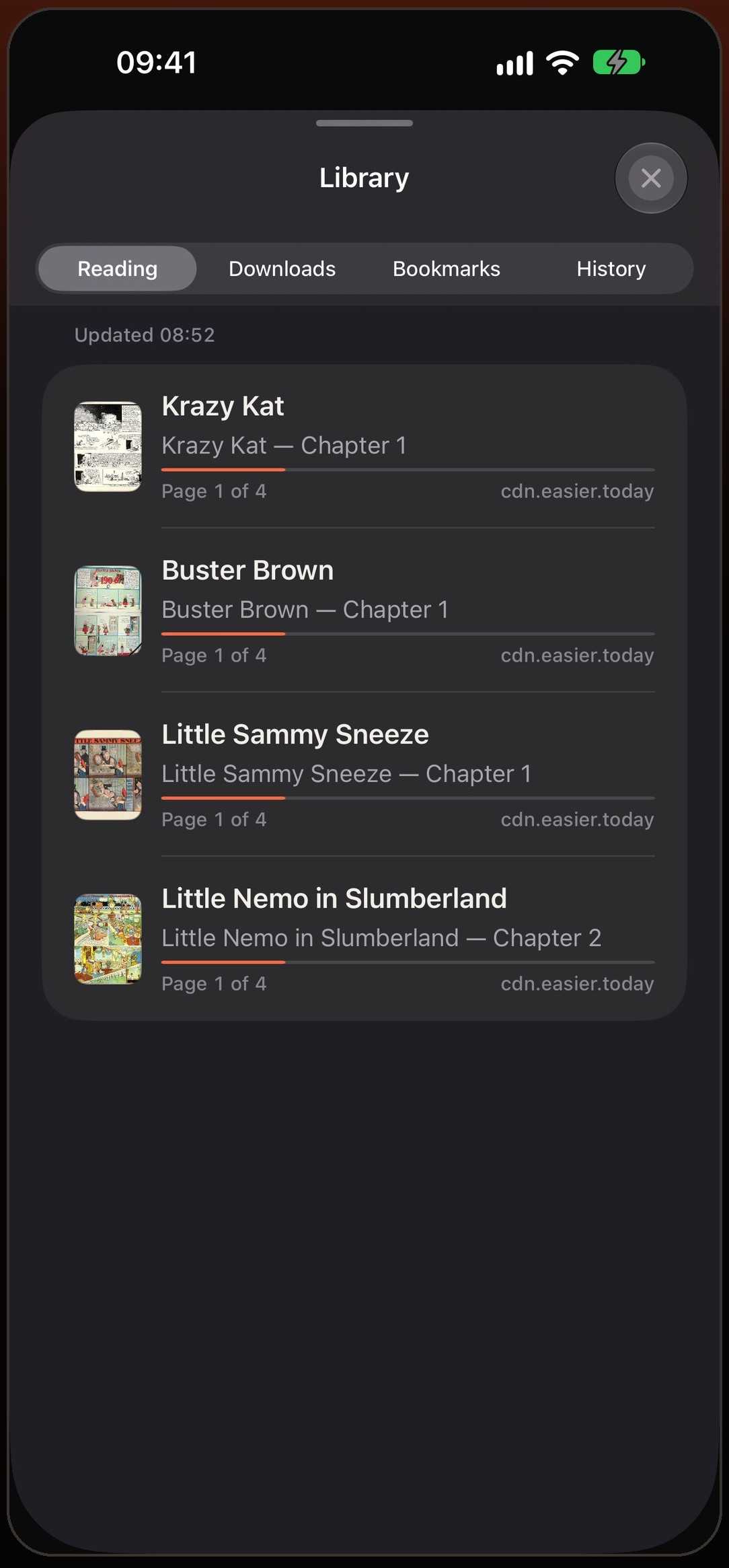
Download a chapter, the next ten, or all of them
From a chapter’s list, download just that chapter, the next 5, the next 10, or every chapter after it. Downloads keep going in the background when you switch apps, and you can pause, resume or cancel them from the Downloads list.
Downloads use the same connection as the site in your browser, so chapters behind a login or a Cloudflare check download the way they open.
Choose when to use mobile data
Turn on “Download over Wi-Fi” and long runs of chapters wait for Wi-Fi instead of eating your data plan. Downloads shows what is in the queue, how much space the finished chapters take in total, and how much each series uses.
Downloads never expire
A downloaded chapter stays on your iPhone until you delete it. Nothing is removed after a week, and nothing is deleted to make room behind your back. Read them on a plane, underground, or anywhere the signal drops — translation works offline too once the language is downloaded.
One library for every site
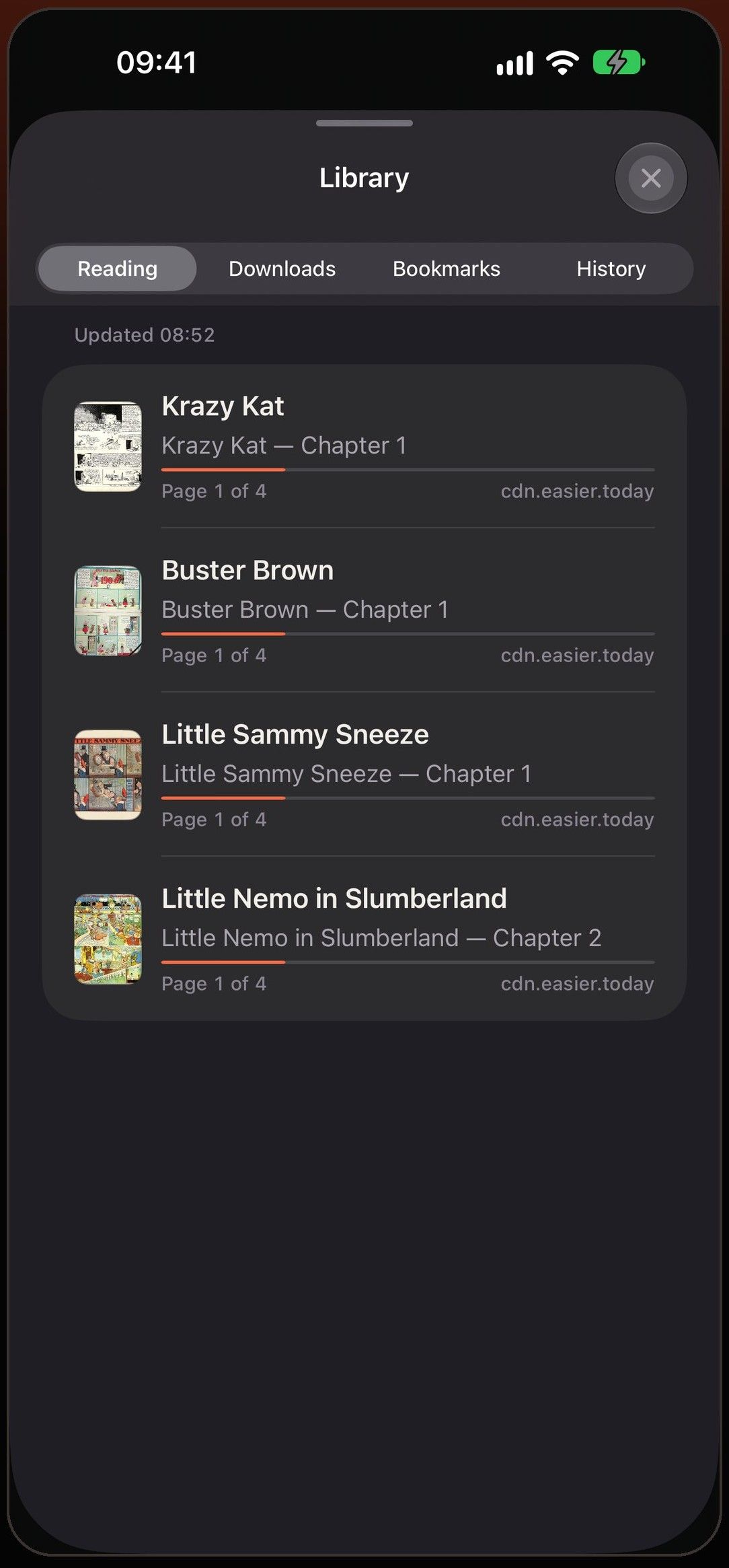
Series you read on different sites sit together in one library, with your progress, bookmarks and history. When a site moves or shuts down, your list and the page you were on are still there.
Mieru checks the sites you follow when you open the app and marks series with new chapters, with the exact count when the site lists its chapters. Series with something new move to the top of Reading, and a tap on the badge opens the first chapter you haven’t read.
Library has four tabs — Reading, Downloads, Bookmarks and History — so a page you saved, a chapter you downloaded and the one you opened yesterday are each one tap away.
Backed up every day
Once a day, when you open the app, Mieru saves your library — series, progress, bookmarks and history — and keeps the last seven copies. Choose a folder in iCloud Drive or On My iPhone and a copy survives even if you delete the app.
You can also export the whole library as a file at any time and import it on another iPhone or iPad. Nothing depends on an account or a server.
Questions
What happens if a site removes a chapter I downloaded?
Your copy stays. A downloaded chapter is stored on your iPhone and doesn’t depend on the site being online.
Can I delete downloads and keep my place?
Yes. Deleting a downloaded chapter removes its pages and keeps your reading progress. Downloads shows how much space each series uses.
Does it download over mobile data?
Only if you let it. With “Download over Wi-Fi” on, downloads wait until you are on Wi-Fi.
How much storage do downloads use?
Downloads shows the total size and the size of each series, so you can clear the ones you’ve finished.
Do downloads continue if I close the app?
They continue when you switch to another app or lock the phone. If you swipe Mieru away in the app switcher, iOS stops the downloads; open Mieru again to resume them.
Can I move my library to a new phone?
Yes. Export a backup from Settings and import it on the other device.
More in Mieru
Your comics, even without a signal
Coming soon to the App Store